Published byfrozenfire12 on 2008-01-06 Category: HardDrive | Page Views: 23851
What is Cache
A cache (pronounced CASH) is a place to store something temporarily. The Xbox 360 caches files on the Xbox 360 Harddrive to optimize load times and gamedata for instant access.
Let's face it sometimes games bog down (say Bioshock or Oblivion for example) due to the cache being full, or just too many/bad updates. Well here is how to clear the cache and remove all updates.
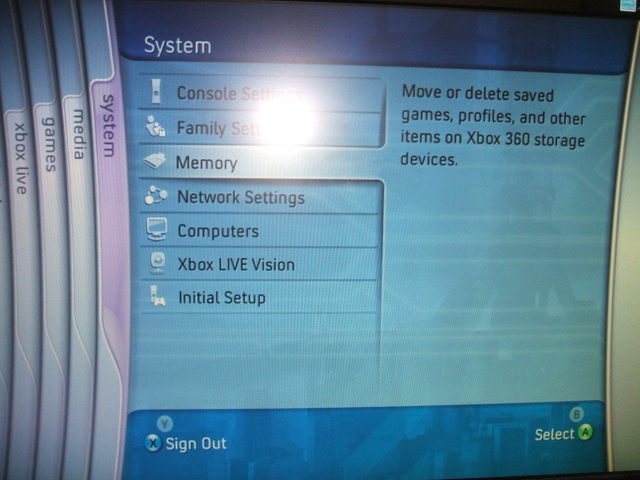
1) Go to the "system" blade
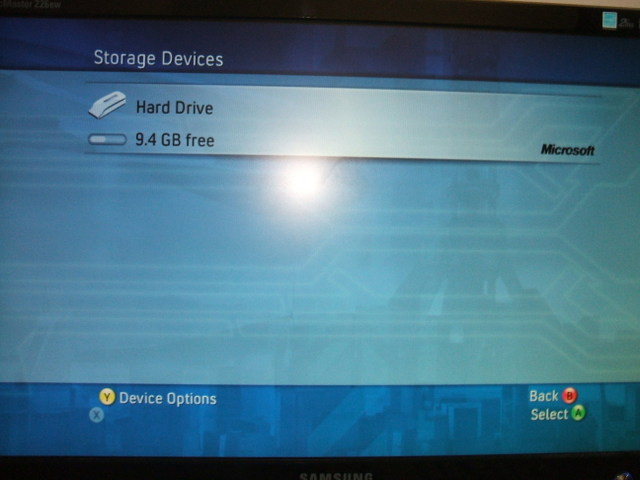
2) Select "memory" and you should get this
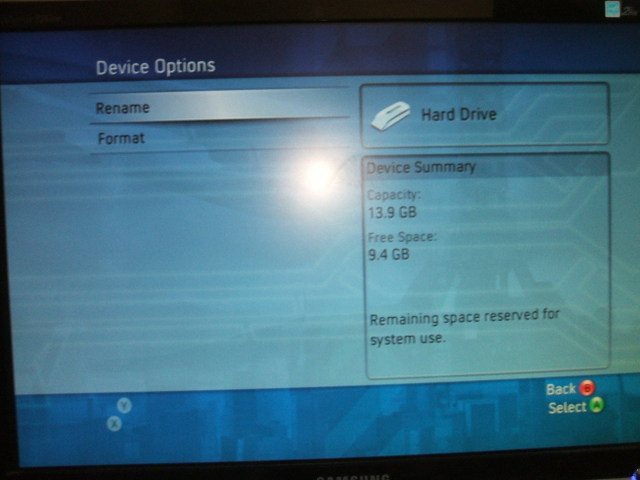
3) Press Y on the Hard Drive symbol and you should get this
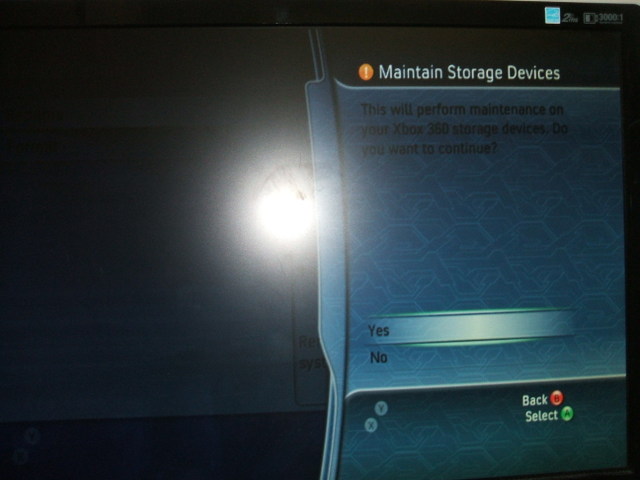
4) Press X,X, Left Bumper, Right Bumper, X,X and this message will pop up
5) Select Yes and it will work its magic and clear the cache and game updates
Predator: Hunting Grounds coming to Xbox Series & PS5 in 2024/25! Predator: Hunting Grounds, the 1v4 asymmetrical multiplayer experience from the asymmetrical multiplayer masters ILLFonic, Inc. (@IllFonic), expands the jungle onto Xbox Series X|S and PS5 alongside m..
 HQ Network: 10,858 |
  Guests: 6332 |
 Members: 2


 Printer Friendly Page



 frozenfire12 on 2008-01-06